MENU & PRODUCTS
Put a product on offer, or build a combo where the customer picks one product from each option.
A product offer gives one product a fixed price or a percentage discount. A combo is a bundle made of options (steps): in each option, the customer picks one product. Offers belong to the menu and store you've selected, and apply only while they are active and visible.
WHERE TO FIND IT
MENU → OFFERS
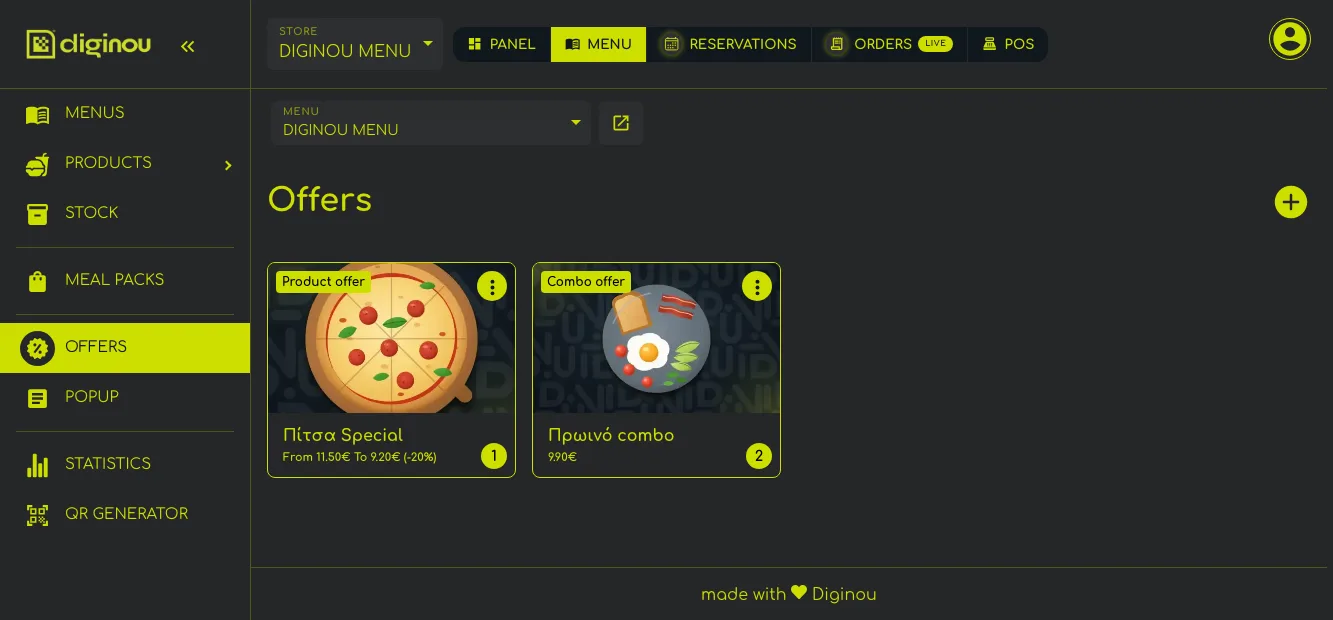
⤢ Enlarge
The menu’s “Offers”. The + at the top right creates a new one.
Choose the menu in the MENU bar, open the create list and choose Add product offer.
Under Select product, pick the product. Under Price mode, choose Fixed price or Discount (%) and enter the value.
Set Active and Visible and click Create offer.
Choose Add combo offer. Add an image and, in each language, a Title and Description.
Click Add option for each step: give it a Title in each language and add products with Add product.
Choose the price mode, check the Total products price and click Create offer.
Click a card to open the offer, or its ⋮ for Edit and Delete. A combo has the tabs Details, Translations, Options and Image.
Drag the cards to reorder your offers; the order is saved straight away.
TIP
A hidden offer doesn't apply, even when it's active. If it's visible but not active, it shows greyed out as “Not Available”. Offers are per store: on a menu shared by several stores, change STORE first to see or create the other store's offers.
WATCH OUT
A fixed price can't be higher than the product's price, and a discount goes from 1 to 100%. The combo's name and each option's title are needed in every language of the menu, inactive ones too (for example The name of step 2 is missing in English). Every option needs at least one product. If an offer's product, or a combo option, has no product that is both active and visible, the card flags it: customers can't order it. If you see The order was not saved, drag again. Deleting an offer can't be undone.




