SAVE A MEAL
What a store needs to sell Meal Packs, including when it uses Diginou only for Save a Meal.
To sell Meal Packs you need a store, an active menu and an order system with Take Away or Delivery on. The Save a Meal switch also needs to be on. You need products only for Mystery or Fixed packs; a Surprise needs none. Card payments need Viva Wallet. A new store starts with Save a Meal hidden, an 18:00–20:00 pickup time, and both Take Away and Delivery. You appear in the app's store list once Diginou approves your account.
WHERE TO FIND IT
ORDERS → ORDER INTAKE → SYSTEM · MENU → MEAL PACKS
⤢ Enlarge
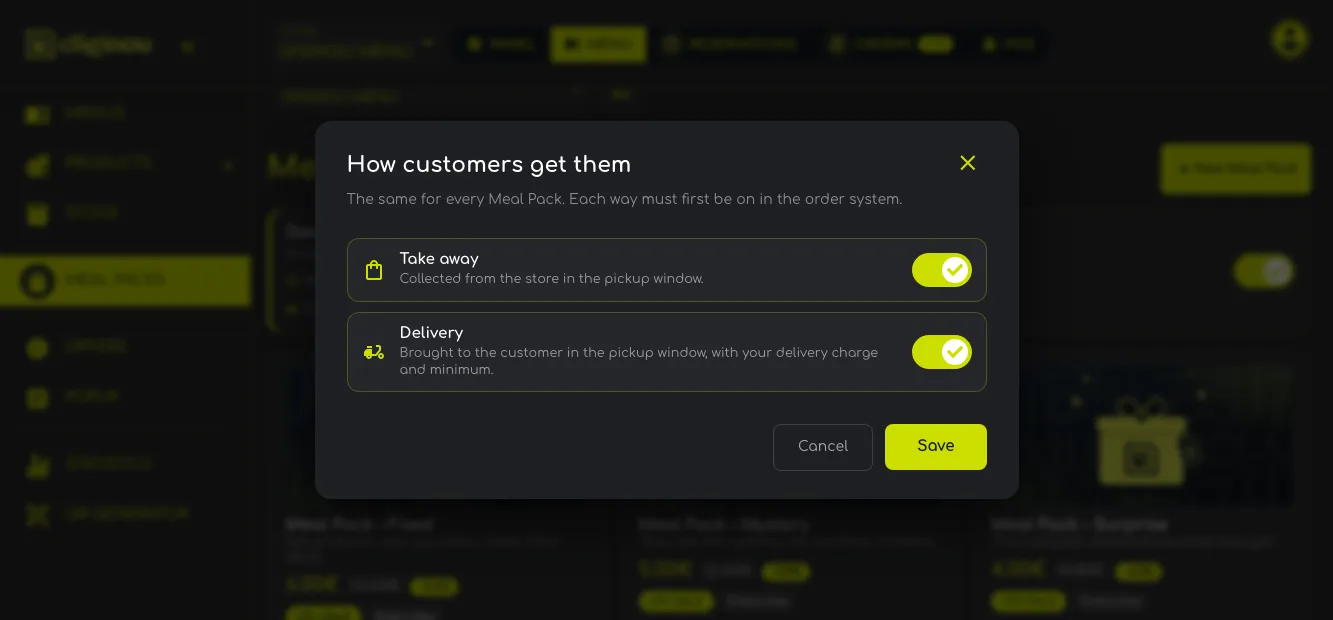
“How customers get them”: Take Away, Delivery or both, for all Meal Packs.
In ORDERS → ORDER INTAKE → SYSTEM, press Create Order System if there isn't one yet.
Under Ways of ordering, switch on Take Away, Delivery or both. Under each way's Payment, choose Cash, Card or both.
At Switch online orders on? press Switch on now. If you left it for later, press Switch online orders on.
In MENU → MEAL PACKS, turn on the switch next to Save a Meal. The badge changes to In the app.
On the Pickup line press Change, set From and Until and press Save. With Different time you give one day its own time.
On the Customers: line press Change. In How customers get them, turn on Take away, Delivery or both and press Save.
Press New Meal Pack and create your first pack.
Until Diginou approves your account, the Dashboard shows Diginou is reviewing your account. In the meantime, your menu with its packs opens from its QR code or link and takes orders.
If you see Verification not approved, correct your details and press Send for review again. The owner gets an email once the review is done.
TIP
With Surprise packs you don't need any products on the menu. The store's opening hours don't stop Meal Pack orders: the pickup time is what counts. In Pickup time you see the Store hours next to each day, and a warning if pickup falls outside them.
WATCH OUT
While the switch says Hidden, the packs show neither in the app nor in the POS. With Digital menu only — orders go through the waiter on, or with Enable Cart off, customers see no packs. Delivery first needs a radius in DELIVERY, and Card a connected Viva Wallet. SYSTEM is open to the owner and managers, PAYMENT PROVIDERS to the owner only.




