MENU & PRODUCTS
Add languages to your menu and translate products, categories, options, combos and the popup.
Each menu has one or more languages, and customers switch the menu to any active one. When you add a language, every name and title of the menu needs a text in it too: products, categories, ingredients, variations and their groups, combos with their options, and the popup. How many languages each menu can have depends on your subscription.
WHERE TO FIND IT
MENU → MENUS → menu → Edit Menu → Menu translations
⤢ Enlarge
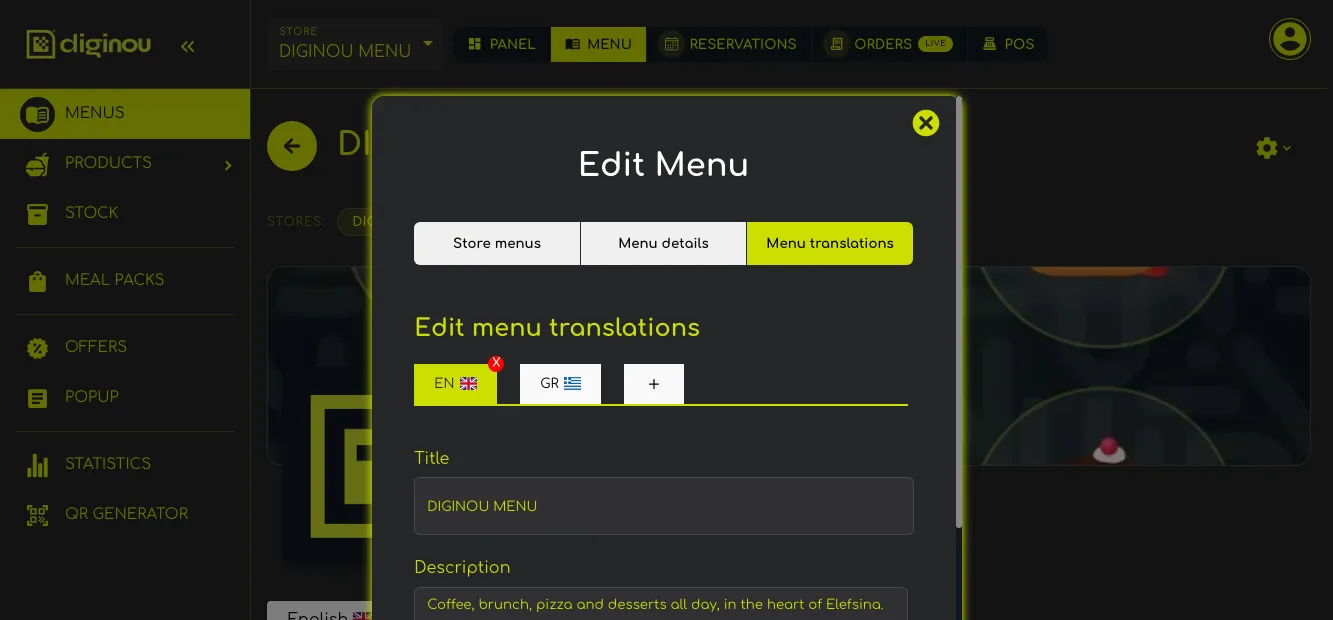
“Edit Menu” → “Menu translations”: one tab for each language, and + adds another.
On the menu's page, click the + next to the languages, or the gear, Edit Menu and Menu translations.
Click the + in the tabs, choose a language, type the Title and, if you like, a Description, and click Save changes.
The New language added message reminds you to translate products, categories, ingredients and variations.
Products: under Actions click Edit, open Translations and click Update translations. With the list's language filter, missing ones say No title.
Categories: in CATEGORY, missing ones say, for example, Missing: English. Click the row and fill in the name.
Ingredients, variations and groups: open their edit window and fill in each language tab. The same goes for combos (the Translations tab, and each option's Title) and the popup.
TIP
Setting the Language status to Inactive hides a language from customers without deleting it. The Default language (in Menu details) is the one the menu opens in, and it can't be removed. Descriptions are optional, except on the popup.
WATCH OUT
Every name and title needs a text in every language of the menu, inactive ones too. Otherwise it isn't saved, and the panel opens the missing tab (for example The name is missing in English). If you remove a language with the red X on its tab, the menu's title in it goes; the products' texts aren't deleted straight away and come back if you add the language again, except for those you saved in the meantime. After a plan downgrade, the languages over the limit are locked, and then only the default one is required. Importing from Excel asks for a name in every language.




