PAYMENTS & RECEIPTS
Activate myDATA receipts and invoices through Viva for each store, with no terminal.
Fiscal documents are issued in the cloud through Viva and sent to AADE. You don't need a card terminal. First you apply once for the whole account. Once approved, a four-step wizard activates fiscal documents for the store selected under STORE. Each store numbers its documents in its own series. The activation at Viva is needed only the first time for your account. For your other stores, Diginou only checks that Viva accepts documents. After activation, the same page becomes your VAT settings page.
WHERE TO FIND IT
ORDERS → ORDER INTAKE → FISCAL
⤢ Enlarge
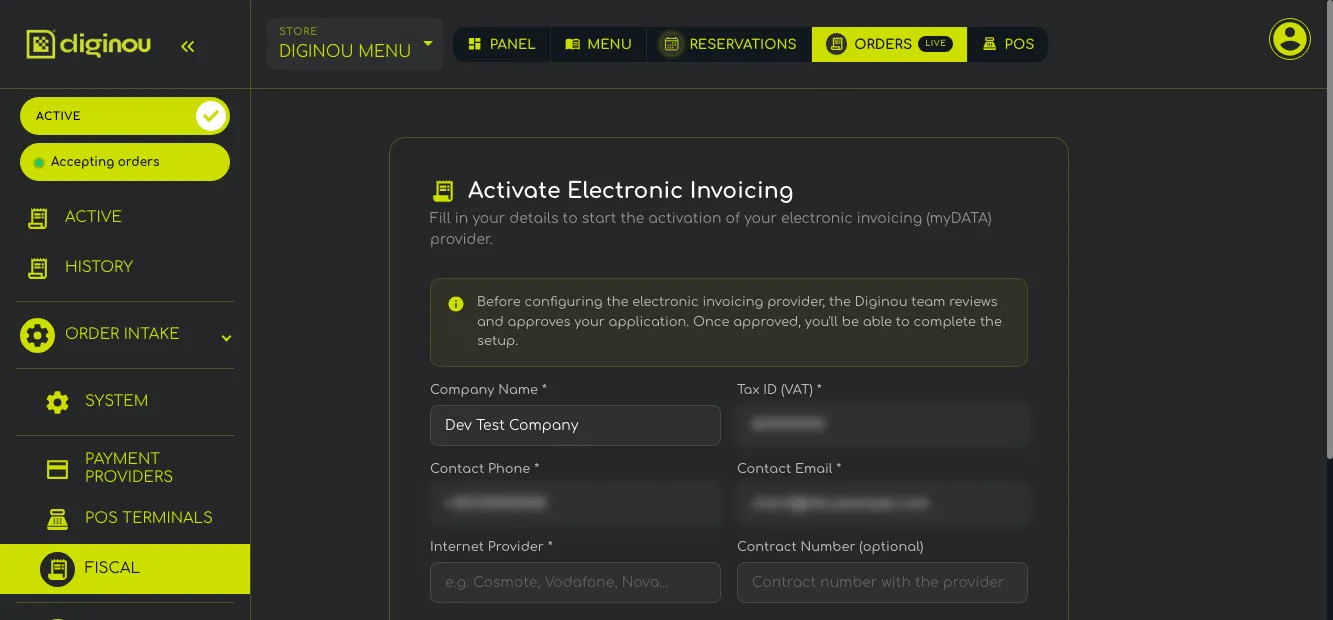
The application for electronic invoicing, with your company details and internet provider.
Under Activate Electronic Invoicing, check the fields already filled in and complete the rest: Company Name, Tax ID (VAT), Contact Phone, Contact Email and Internet Provider. Contract Number (optional) isn't required.
Press Submit Application. The page reads Your application is under review.
The answer comes to the Contact Email. If the application is rejected, the page shows why. Correct the details and press Resubmit Application.
Choose the store under STORE. In Select Country, choose Greece as the Country and press Next →.
In Fiscal Settings, set the Business Type, the Default VAT Rate (Products) and the Receipt Series. Under Extras & Delivery VAT, set the Delivery Charge VAT, the Extras / Fix Charge VAT and the Meal Pack VAT. Press Next →.
In VAT Category Mapping, change the rate for categories that don't take the default, e.g. 24% for alcoholic drinks.
Press Activate Fiscal →. Your settings are saved and the activation runs at Viva right away. When it's done you see The fiscal connection was activated successfully!
If Activation shows Activation failed, read the reason below it. Once it's fixed, press Activate to try again.
Once the page shows Fiscal Active, change what you need under Fiscal Settings, Extras & Delivery VAT or VAT Category Mapping and press Save Changes.
TIP
Give each store its own series, e.g. A for the first and B for the second: two stores of the same account can't share one. A Business Type of Services issues service receipts. The other two options issue retail receipts.
WATCH OUT
The steps appear only when your Viva account is Active in Payment Providers. The country and the series can't change after activation. Only the owner can open Fiscal.




