GETTING STARTED
Create your Diginou account, confirm your email and open your store's panel in a few minutes.
Your account is the way into your store's management panel, where your digital menu, orders, delivery and reservations live. You sign up with an email and password or with your Google account, then confirm your email. If you forget your password, you change it from a link we email you.
WHERE TO FIND IT
panel.diginou.com → Sign in · Sign up
⤢ Enlarge
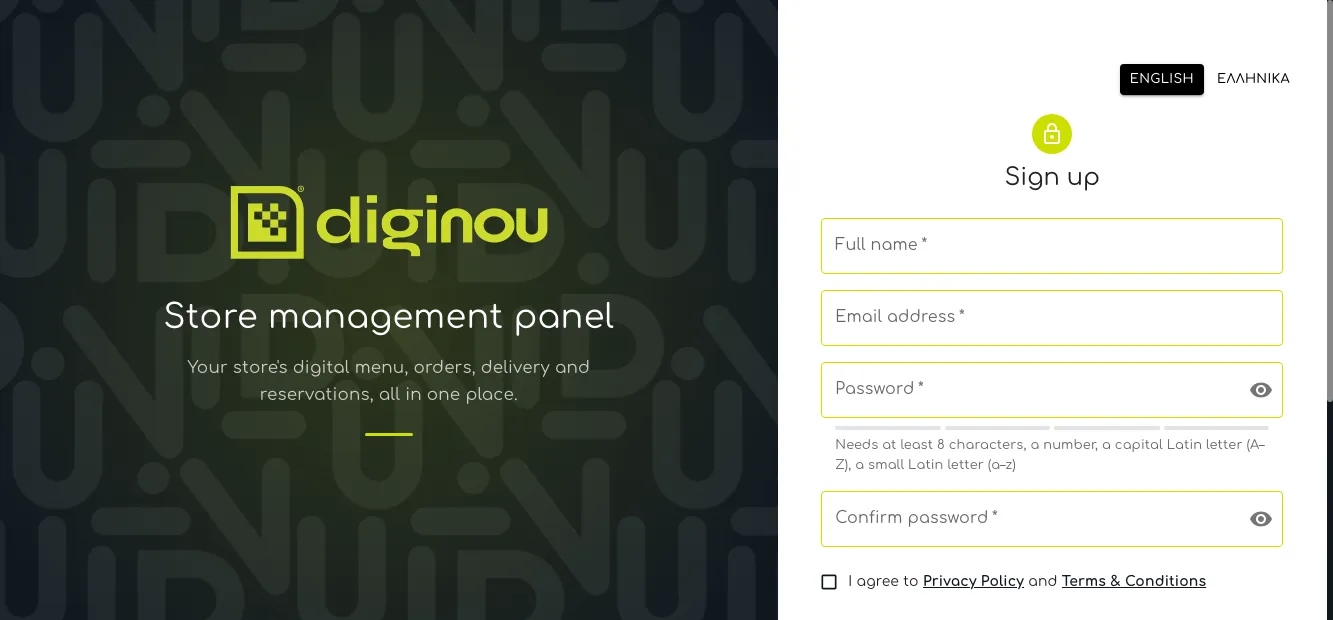
The “Sign up” form. The password rules show under the field.
Open panel.diginou.com and click Don't have an account? sign up.
Fill in Full name, Email address, Password and Confirm password. Under the password you see what is still missing, until it says Password looks good.
Tick the box to agree to the Privacy Policy and Terms & Conditions, then click Sign up.
Open the confirmation email and click the link within 7 days. On Email confirmed successfully! click Return to login, enter your Email address and Password, then click Sign in.
On the sign-in page, click Forgot password?.
Enter your account's email and click Send reset email.
Open the link in the email, fill in New password and Confirm password, then click Change password. Two seconds later you're back at sign in.
TIP
For a quicker start, click Continue with Google on the sign-in or sign-up page. With the same email, it also signs you in to an account you created with an email and password. Can't see the confirmation email? Check your spam folder too, or click Send a new confirmation email. Emails come in the language the page is in, Ελληνικά or English.
WATCH OUT
Your password needs at least 8 characters, a number, a capital Latin letter (A–Z) and a small Latin letter (a–z): Greek letters don't count, in Change password either. Until you confirm your email, you can't sign in with a password. A new password set from Forgot password? confirms the email too, and so does Continue with Google; with Google, the old password stops working. If the email belongs to a customer account of the Diginou app, you can't sign in with it (with Google you see Wrong sign-in method): use another email.




