ACCOUNT & SUBSCRIPTION
Add your staff, give each person a role and stores, and send a new password when needed.
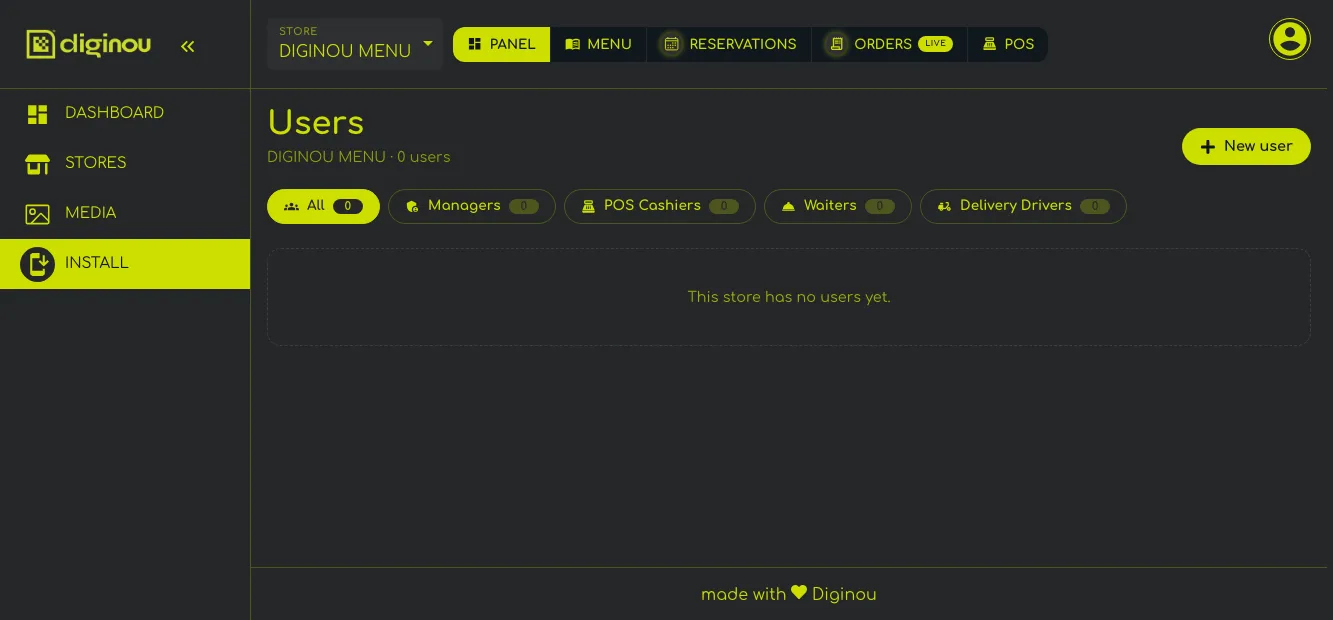
In Users you add your staff, choose each person's role and the stores they work in, send a new password and delete users. The list shows the users of the store you have selected under STORE, and underneath those who have no store at all. There are four roles: Manager (the stores you give them, with their users, but not new stores, the subscription, payments or finances), POS Cashier (the POS and the store's orders), Waiter and Delivery Driver. The last two use the Diginou Waiter and Diginou Delivery apps on their phone, not the panel.
WHERE TO FIND IT
Account photo (top right) → Users
⤢ Enlarge
The store’s “Users”, by role. “New user” is at the top right.
Press New user.
Under Details, enter Email and Full name.
Under Role, pick a role card. Under Stores, the store from the top bar is already selected: switch on or off whatever you need.
Press Add account. The user gets an email with their sign-in details.
Press the user's card and change their name, role or stores. The email can't be changed.
Press Update account.
Under Password, press Send new password and confirm with Yes, send it.
To delete, under Delete user press Delete account and confirm with Yes, delete it!.
TIP
The user works only in the stores you select. Users with no store show under Without a store, whichever store you have selected. The tabs All, Managers, Waiters and the rest help you find someone quickly. The sign-in email is in English, with the subject "Credentials Of Diginou Account", and holds the sign-in email, the password and the link to the panel or to the role's app.
WATCH OUT
Deleting is permanent and the account can't be restored. With a new password, the current one stops working and the user signs in again on every device. You can send the same user up to 3 new passwords an hour; after that you see Too many new passwords with the time to try again. An email that already has a Diginou account, including a customer account in the App, isn't accepted. A Delivery Driver needs at least one store. While they have a delivery on its way, they can't be deleted, change role or lose that delivery's store (The driver has a delivery out). Users opens for the owner and managers, not for the POS Cashier. A manager sees and creates only users of their own stores, with at least one of them, and only the owner can create managers. Waiters and drivers can't sign in to the panel.




