PAYMENTS & RECEIPTS
Give the customer back all or part of the amount, to their card through Viva or in cash.
You refund from the order's window. If the customer paid by card, Diginou asks Viva to return the amount to the same card. If they paid cash, the refund is recorded and you hand the money over from the till. A full refund moves the order to Refunded and makes the customer's discount code available again. A partial refund happens when you remove products from a paid order before a fiscal document is issued.
WHERE TO FIND IT
ORDERS → ACTIVE or HISTORY → order → Order Info
⤢ Enlarge
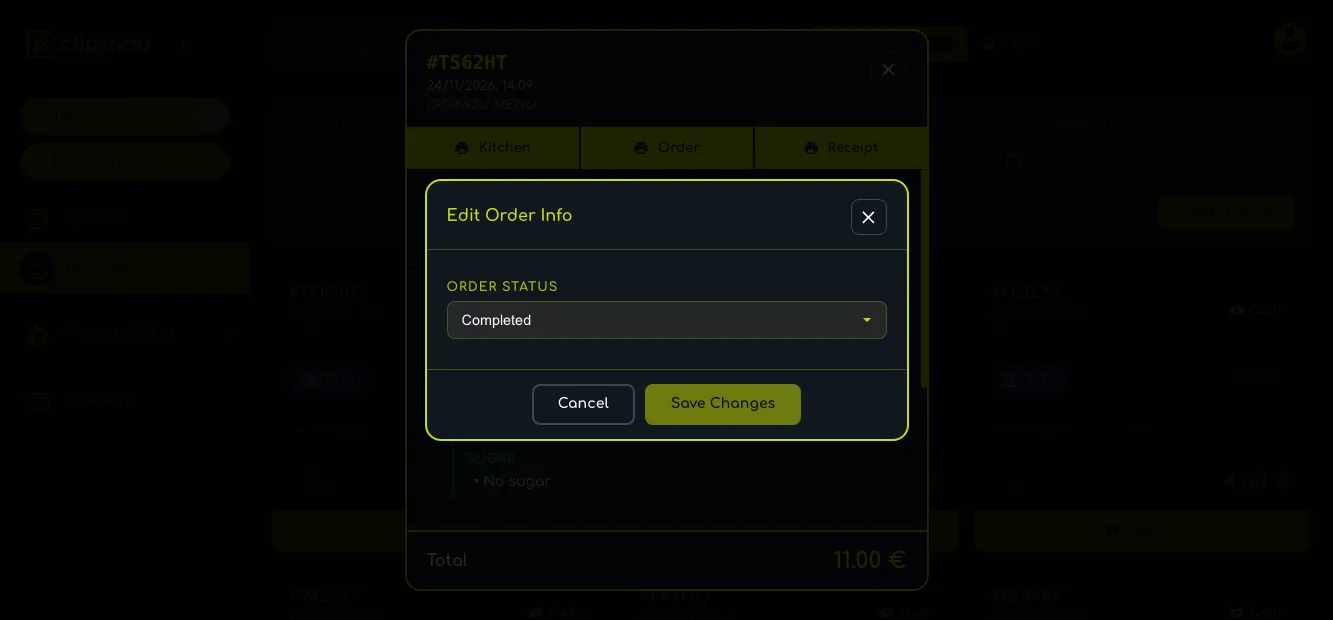
The pencil beside “Order Info”: “Refunded” is one of the choices under “Order Status”.
Open the order and press the pencil next to Order Info.
In Order Status, choose Refunded and press Save Changes.
In Refund this order? The amount will be returned to the customer. press Confirm.
When you cancel a paid order, with Cancel on a new one or with the Cancelled status, the panel asks whether to refund. Press Yes, Refund, or No, just cancel for the store to keep the money.
On a paid order that is Preparing, press the pencil next to Products.
Lower the quantity with − or remove the product, and press Save Changes.
In the window that opens, check the Refund breakdown and the To refund amount. Press Confirm & refund to card, or Confirm refund for cash.
If the order had a fiscal document, the panel asks after the refund whether to issue a credit note. Press Issue credit note.
After a partial refund, issuing the receipt later also issues a credit note for the amount you returned. The panel reads Two documents issued.
If you refund from the Viva dashboard, the order updates by itself. A full refund moves it to Refunded, while a partial one only changes the payment to Partially Refunded. If a fiscal document exists, issue the credit note yourself from the order.
TIP
A card refund goes back through Viva automatically. If the customer doesn't see it right away, it can take up to 2 business days. Refund from the panel rather than from Viva, so it also asks you about the credit note.
WATCH OUT
A partial refund works only while the order is Preparing and before a fiscal document is issued, and the discount code stays used. If you see The refund failed. Try again or refund manually from Viva., do what it says. The owner, managers and POS cashiers can refund, in the stores they've been given.




