RESERVATIONS
Find bookings from other days by date, status or search.
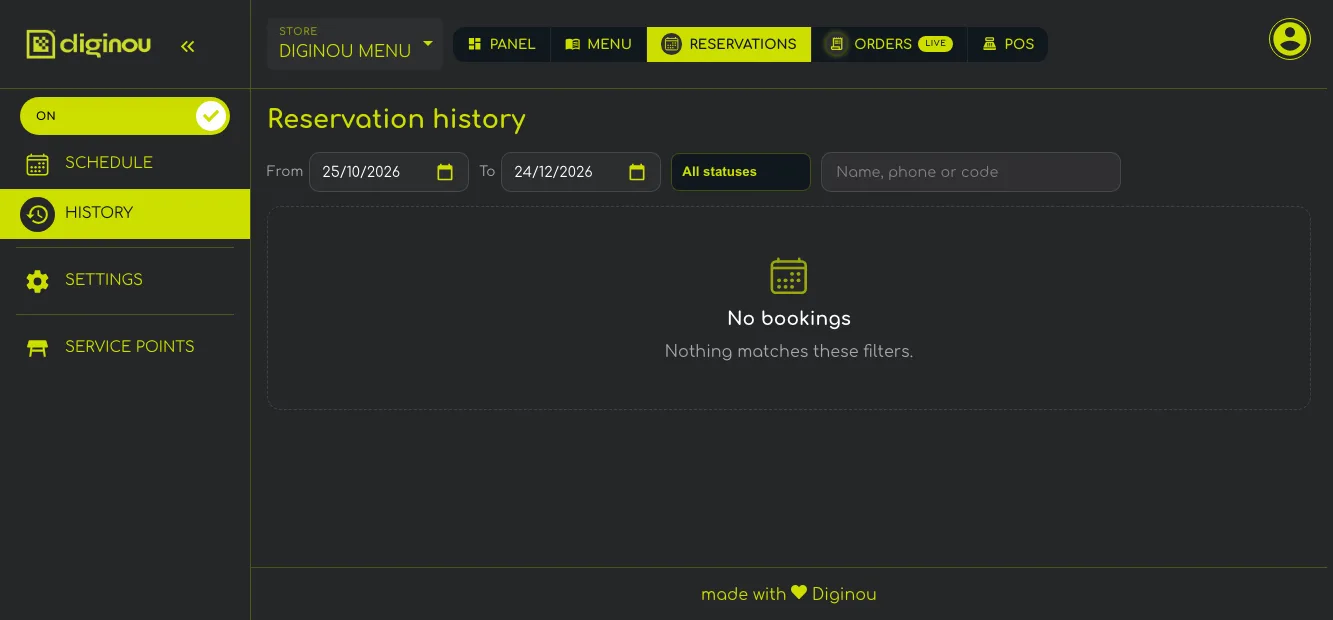
Reservation history lists the store's bookings, 20 per page, latest date first. You filter by dates and status, and search by name, phone, email or code. Opening a booking shows the same details and actions as the Schedule.
WHERE TO FIND IT
RESERVATIONS → HISTORY
⤢ Enlarge
“Reservation history”, with dates, statuses and search.
Set From and To. By default, From starts 30 days back and To reaches 30 days ahead.
Under Status, choose a status or All statuses, and type in the search box if you like.
Move between pages with Previous and Next, and press a booking to open it.
TIP
An older booking has the same actions as in the Schedule: you can, for example, correct its status or save notes. A booking that was waiting for payment and was never paid leaves the Schedule and shows only here, as Expired.
WATCH OUT
If you can't see a booking, check From and To: by default they only cover 30 days back and 30 days ahead. History opens for the owner, managers and the POS Cashier.




