ACCOUNT & SUBSCRIPTION
See your plan and when it expires, and stop or restart ADVANCED's auto-renewal.
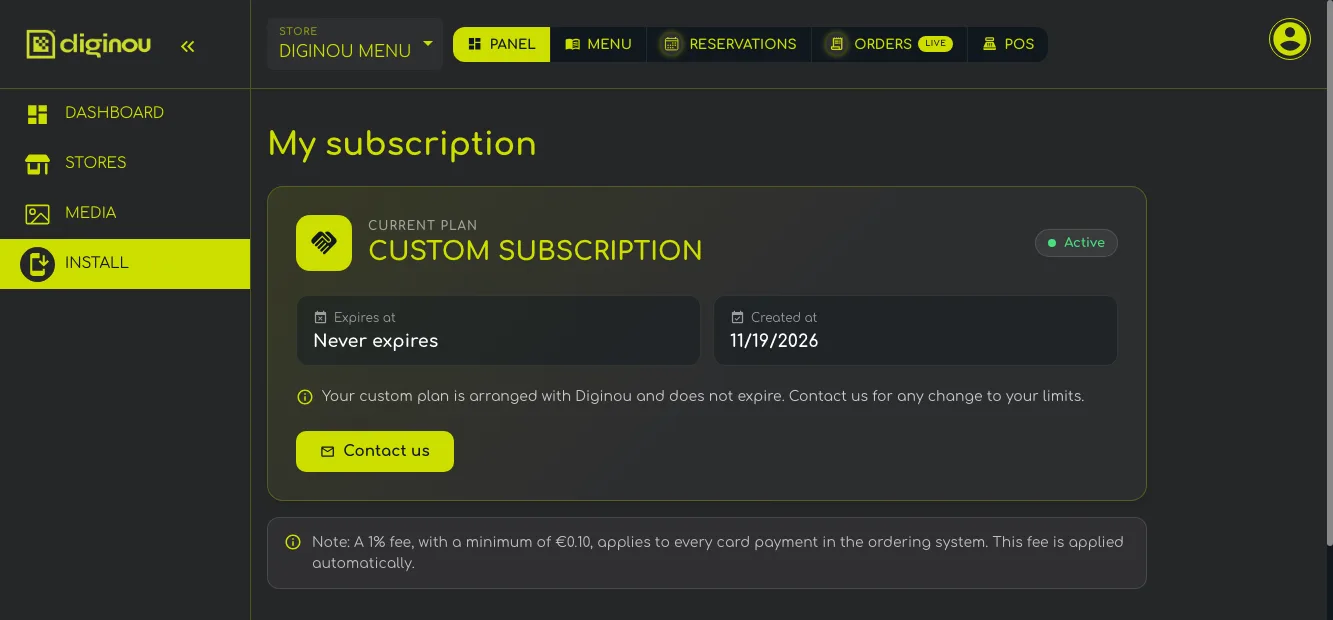
In Subscription you see your Current plan, its status and when it was Created at. On ADVANCED, which is billed annually, you also see the Time remaining, when it Expires at, and whether Auto-renewal is On or Off. From here you stop or restart it. FREE and CUSTOM read Never expires and have no renewal.
WHERE TO FIND IT
Account photo (top right) → Subscription
⤢ Enlarge
“My subscription”: your plan, its expiry date and auto-renewal.
Open Subscription and check your plan's details.
To stop renewal, press Cancel renewal, and in Cancel subscription? press Confirm. The status becomes Not renewing.
To turn it back on before it expires, press Renew subscription, and in Confirm renewal press Confirm.
On FREE, press Upgrade to see the plans.
On CUSTOM, press Contact us for any change to your limits.
TIP
On ADVANCED and CUSTOM, a note under the card shows the fee on card payments for your account. Right after paying for an upgrade, the page waits a few seconds until it shows ADVANCED. If it takes longer, it reads Payment received; activation is taking a little longer. Check again in a few minutes.
WATCH OUT
Cancelling renewal doesn't stop the subscription at once: it stays active until it expires, and then the account goes back to FREE. Whatever goes beyond FREE's limits is locked, and statistics are kept for 3 months only. Only the owner can open Subscription.




