POS
Choose a Viva terminal for your device, charge by card and resend a payment that didn't go through.
CARD sends the amount to a Viva terminal: a physical terminal or the viva.com Terminal app (SoftPOS) on a phone or tablet. The order is written at once and waits for the payment. As soon as Viva confirms it, the order moves on and, if you set it up, its receipt is issued by itself. A payment that didn't go through stays under Pending so you can send it again.
WHERE TO FIND IT
POS → GEAR → POS TERMINALS (or ORDERS → ORDER INTAKE → POS TERMINALS)
⤢ Enlarge
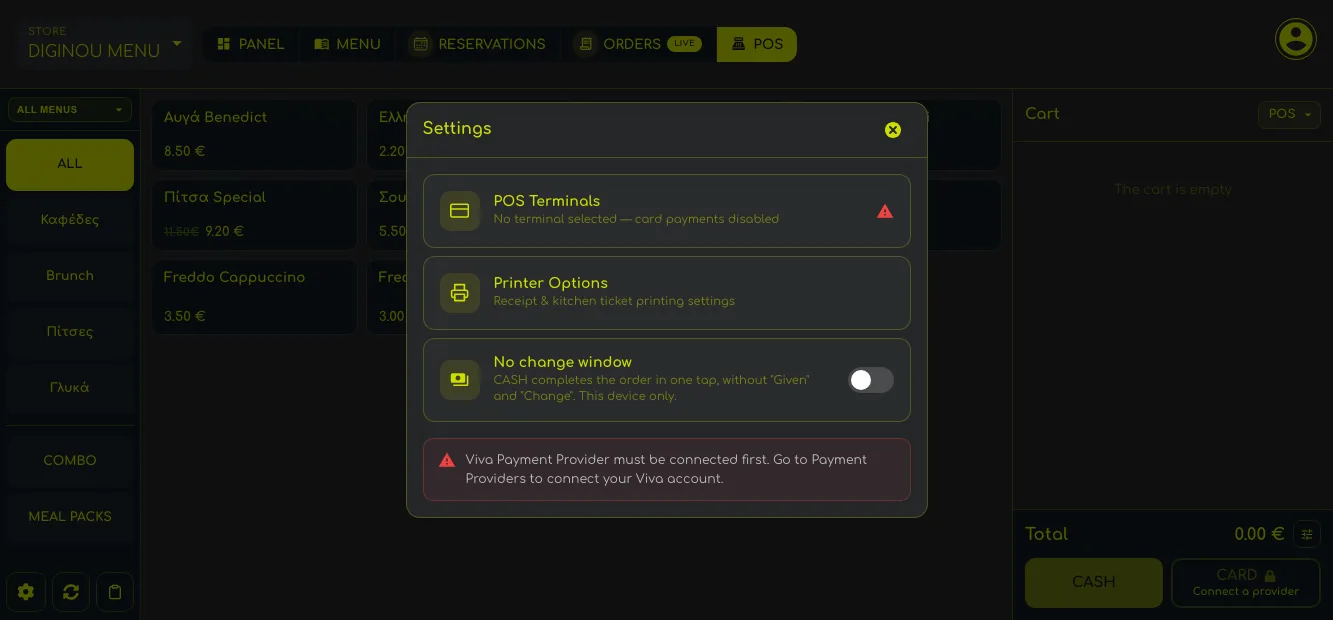
The POS “Settings” (gear at the bottom left): under “POS Terminals” you pick the Viva terminal that charges the card.
In the POS, press the gear, then POS Terminals. If CARD says Choose a terminal, press it and the same list opens.
Under Available Terminals, pick one with a green signal. Greyed-out ones, with a note that they are not active in Viva, can't be picked.
If the list is empty, install the viva.com Terminal app or activate your device, sign in with the Viva account connected to Diginou and press Refresh.
With the cart ready, press CARD. The POS first asks Viva whether the terminal exists and is active.
The cart empties and you see Customer should tap or insert card on the terminal. The bar above the buttons shows the POS is waiting for the terminal.
Once it goes through, you see Card payment received — order created!. With automatic issuing on, the receipt is then issued and printed.
If you see Payment Failed before anything is sent, Viva didn't answer, or the terminal no longer exists or isn't active. No order is written and the cart stays as it was.
If the card is declined, you see Viva's message or Payment failed. Please try again. After 2 minutes without an answer, you see Payment timed out. Please check the terminal and try again.
Open the clipboard under the categories, tab Pending, and press Terminal on the order. Only what is still unpaid is sent, and you see Sent to terminal successfully.
If the customer will pay another way, press Cart, charge with CASH, then remove the pending one with Delete → Yes, delete.
TIP
The terminal is set per device, so each till can charge its own. On another computer or tablet, choose it again. If Terminal answers The order is already paid or The order was cancelled, nothing was sent and the order leaves Pending.
WATCH OUT
CARD needs a connected Viva Wallet, which only the owner connects under Payment Providers. The POS TERMINALS page opens for the owner and managers; a POS Cashier chooses a terminal from the POS settings. Cart leaves the pending order where it is, and Delete cancels it: you find it under Cancelled. An unpaid card sale holds its stock while it waits and is removed by itself after 7 days. With a total of 0, the card sends nothing. Every charge carries the card payment fee stated in the note on the SYSTEM page.




