RESERVATIONS
Let guests with a booking order and pay for their food ahead, and choose when the kitchen starts.
With pre-orders, a guest who made a free booking in the App picks food from the menu and pays for it online by card. They order straight after booking, or later from their bookings in the App, up to the time you set. Each booking has one pre-order, without Meal Packs. The pre-order waits among the Scheduled orders and reaches the kitchen before the booked time or when you mark the guests as arrived. Kinds of booking with a charge always take the order together with the payment, whatever this setting says.
WHERE TO FIND IT
RESERVATIONS → SETTINGS → Pre-orders
⤢ Enlarge
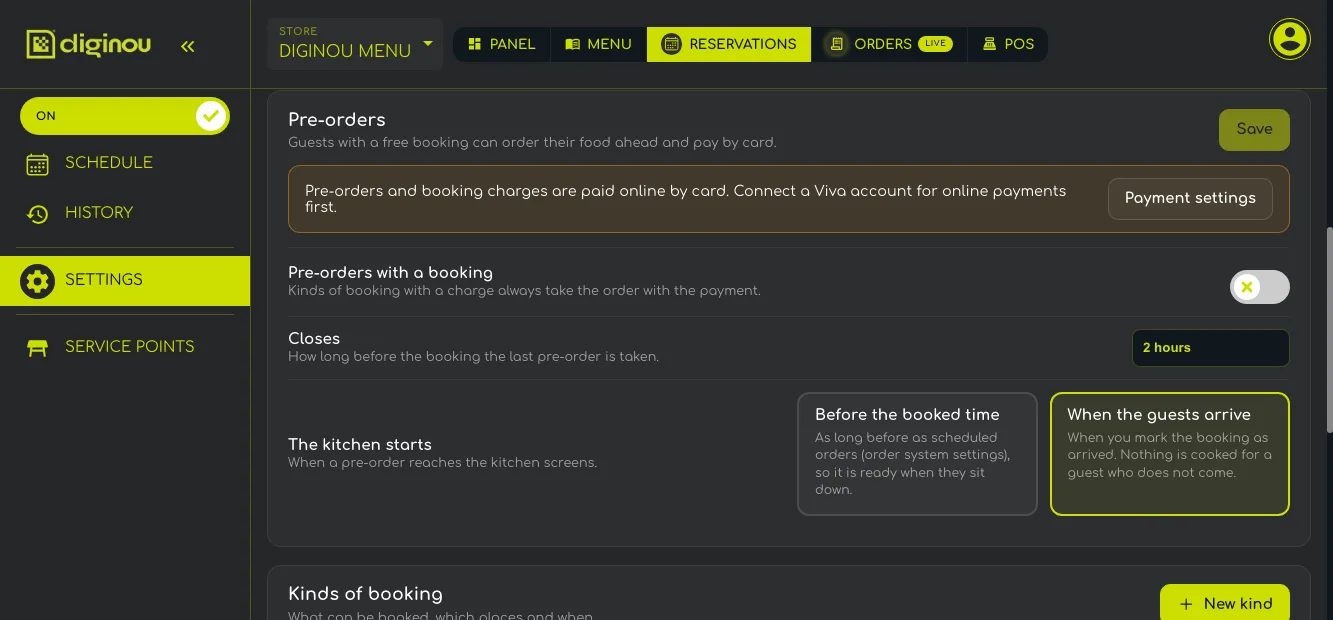
“Pre-orders” in the booking settings: the switch, when it closes and when the kitchen starts.
In Reservation settings, on the Pre-orders card, switch on Pre-orders with a booking.
Under Closes, choose how long before the booking the last pre-order is taken, or Until the booked time.
Under The kitchen starts, choose Before the booked time or When the guests arrive.
Press Save.
Open the booking in the Schedule. The Payment section shows the pre-order and where it stands, for example Paid · waiting for the kitchen. Open in Orders takes you there.
In ORDERS → ACTIVE, press New Orders → Scheduled. You find it under Booking pre-orders, and Start now sends it to the kitchen at once.
With When the guests arrive, press Arrived on the booking when the guests sit down. The pre-order then moves into preparation.
TIP
Before the booked time starts the pre-order as long before as scheduled orders. You set that in SYSTEM, under Start scheduled orders (minutes before their window). With When the guests arrive, which is the default, nothing is cooked for a guest who doesn't come. If you change the booking's time, a pre-order that hasn't started moves with it.
WATCH OUT
Pre-orders need a Viva account connected for online payments. Without one you see Pre-orders and booking charges are paid online by card. Connect a Viva account for online payments first. and the switch won't turn on. If you cancel or decline the booking, everything paid is refunded. If the guests don't come, you choose whether to keep or refund the payment. The guest can cancel in the App and get the money back until Free cancellation until, but not once the kitchen has started. Settings open for the owner and managers, and only the owner connects Viva.




