ORDER INTAKE
Set a fixed charge (such as a cover charge), discount codes in the app, and the carrier bag.
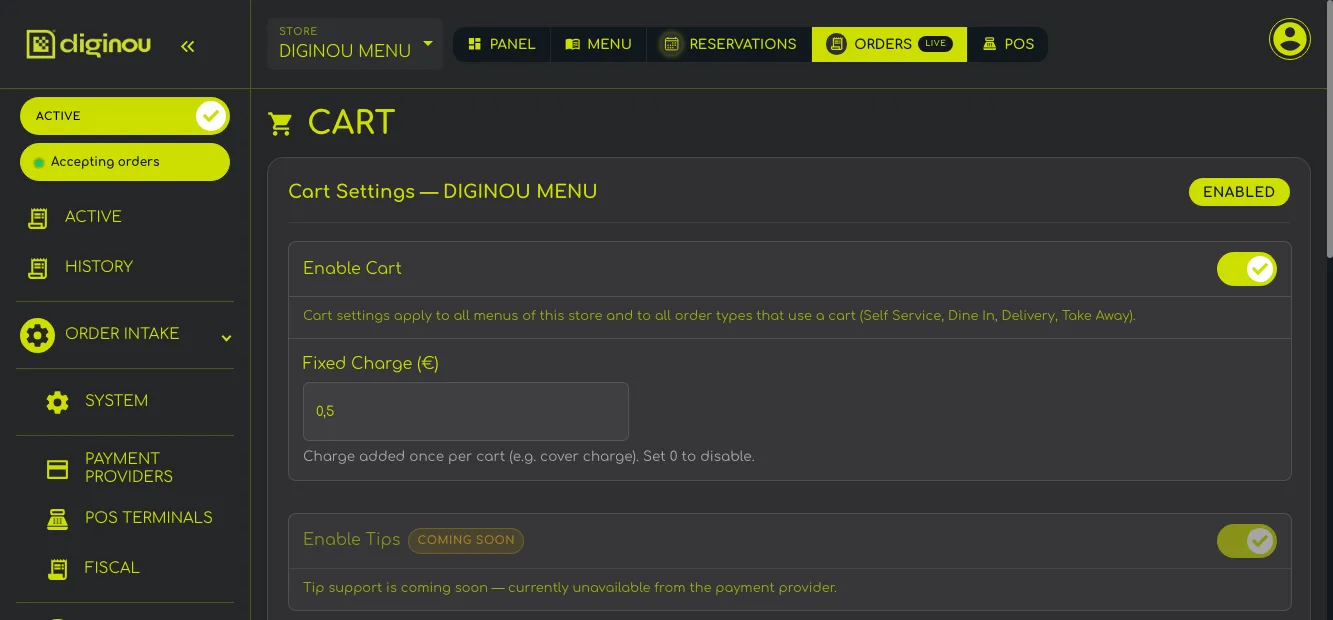
In CART, for the store selected under STORE, you switch on the app's cart and set a fixed charge, such as a cover charge. You choose whether customers see a discount-code field, and you set the carrier bag added to delivery or take-away orders. The settings apply to all menus of the store. With the cart off, the app shows the menu with its prices, but customers can't add products or Meal Packs.
WHERE TO FIND IT
ORDERS → ORDER INTAKE → CART
⤢ Enlarge
“Cart Settings”: turning the cart on, a fixed charge and tips.
Switch on Enable Cart.
In Fixed Charge, type the amount. 0 turns it off.
Press Save. The button lights up as soon as you change something.
Switch on Enable discount codes in the user app.
Press Save. You create the codes in DISCOUNTS.
Under Carrier bag, choose None, Plastic or Paper or compostable. For paper, enter the Paper bag price.
Under Charge on, tick Delivery, Take Away or both.
Press Save.
TIP
The fixed charge is added once per cart, only to customer orders from the app. The POS and waiters never charge it. The bag is also added automatically, once per order, only to customer orders from the app, and coupons never discount it. Plastic charges the environmental fee set by law, and the amount shows next to the option.
WATCH OUT
The fixed charge can't be negative. The paper bag price must be above 0 and at most €5.00, and the bag needs at least one order type. With Enable discount codes in the user app off, no code is accepted, not even one already in a customer's cart. Enable Tips shows Coming soon and can't be switched on yet. The page opens for the owner and managers, not for the POS Cashier.




